A day on tables. Talking to a table writes notes, and a ramble comes out as a mind map. Mind map mode builds a tree from the keyboard, and pasted Markdown lands as one. A sidebar of everything I saved this week sits beside the canvas. Drafts sit on a hill chart on the posts page. Still in progress are voice notes kept as chats, changing a post's type, and reading the words in 54,000 saved pictures.
Voice
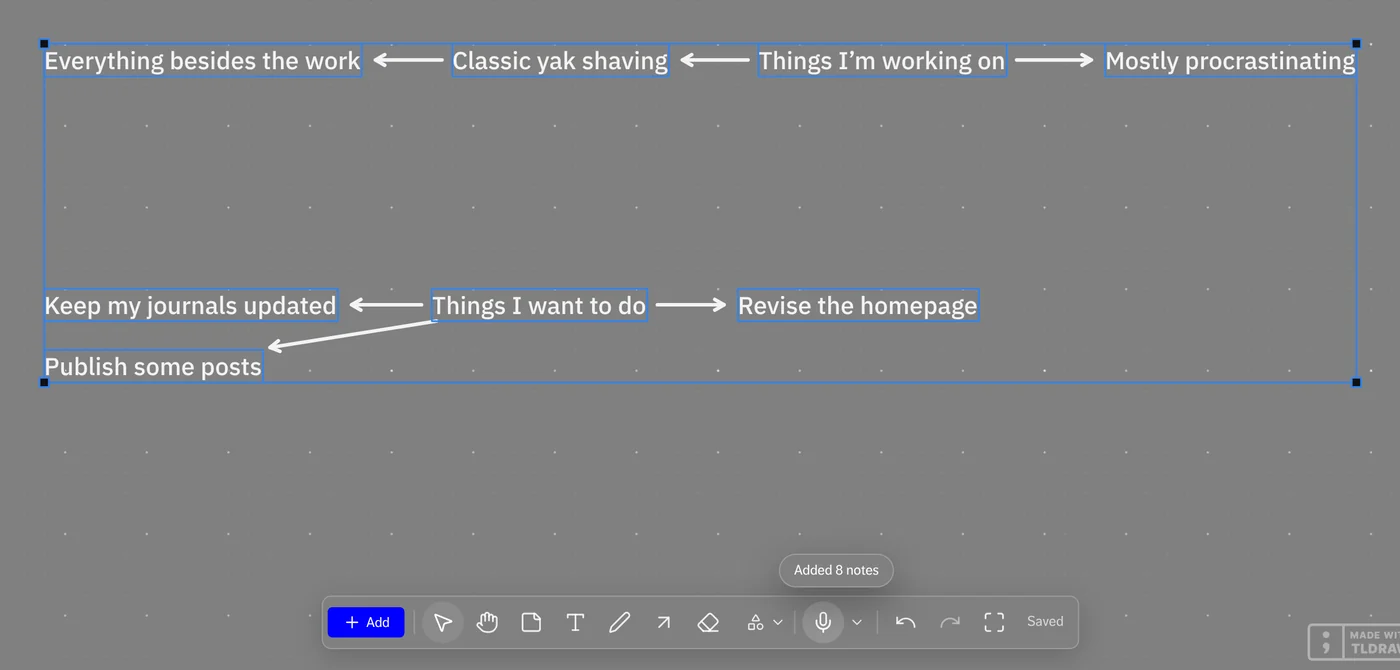
A ramble, set down as two topics and their branches.
A microphone in the table toolbar writes what it hears into text blocks as the words arrive, and starts a new block at each pause. Deepgram Flux on Workers AI listens, with the browser's own dictation as the fallback. #294
Spoken commands change the table and are left out of what is written down: connect, draw a shape, move, arrange, reword, recolour, remove. "Select the pricing note", "undo twice" and "redo" are matched as the words arrive, without a model. #296#297#322
A ramble becomes a mind map. A passage that lists several things comes back as short labels, each hung from its topic, with filler dropped. "Actually make that", "scratch that" and "that's all" change the last note, remove it, or end the voice note. #297#322
A note said about a sticky is a sticky, and one said about text is text. "Turn all of the sticky notes into text boxes" changes shapes where they stand, arrows kept. A spoken heading is a Markdown heading. #300#315#322
"Show similar items" opens the Add drawer on what is like the selection, and "add the first three" adds from its numbered list. #310
The voice menu keeps a list of known words, learnt from my corrections and synced between devices, and a counter of speech minutes, model tokens and about what they cost. #297
The chat's composer has the same microphone. A pause corrects what was heard and sends it, and listening carries on. #299
Mind maps & layouts
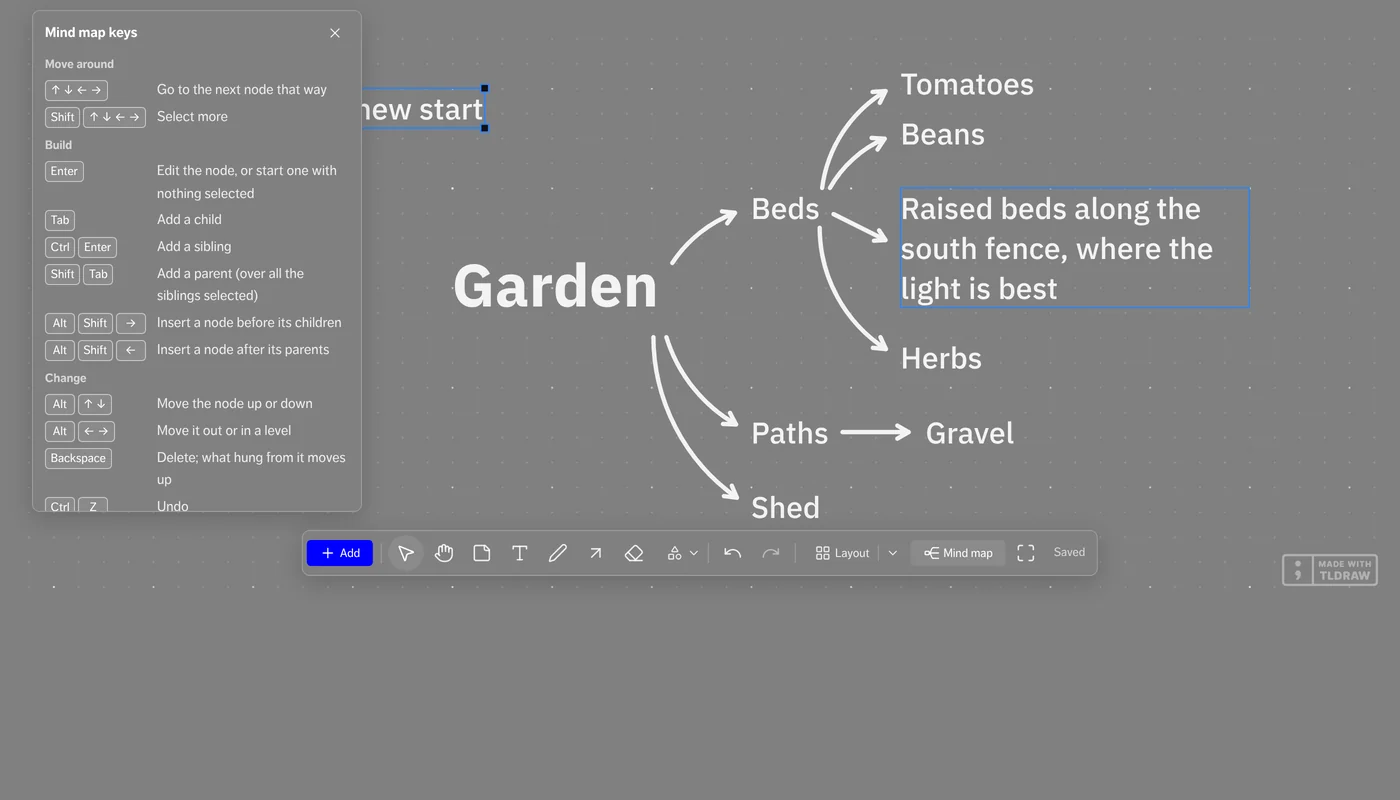
Mind map mode, with its keys listed by pressing ?.
Mind map mode hands the keyboard to the tree. Arrows walk it, Tab adds a child, ⌘Enter a sibling, Shift+Tab a parent, Option+arrows move a node, and each change sets the tree out again. The keys follow Knotend's. #311#326
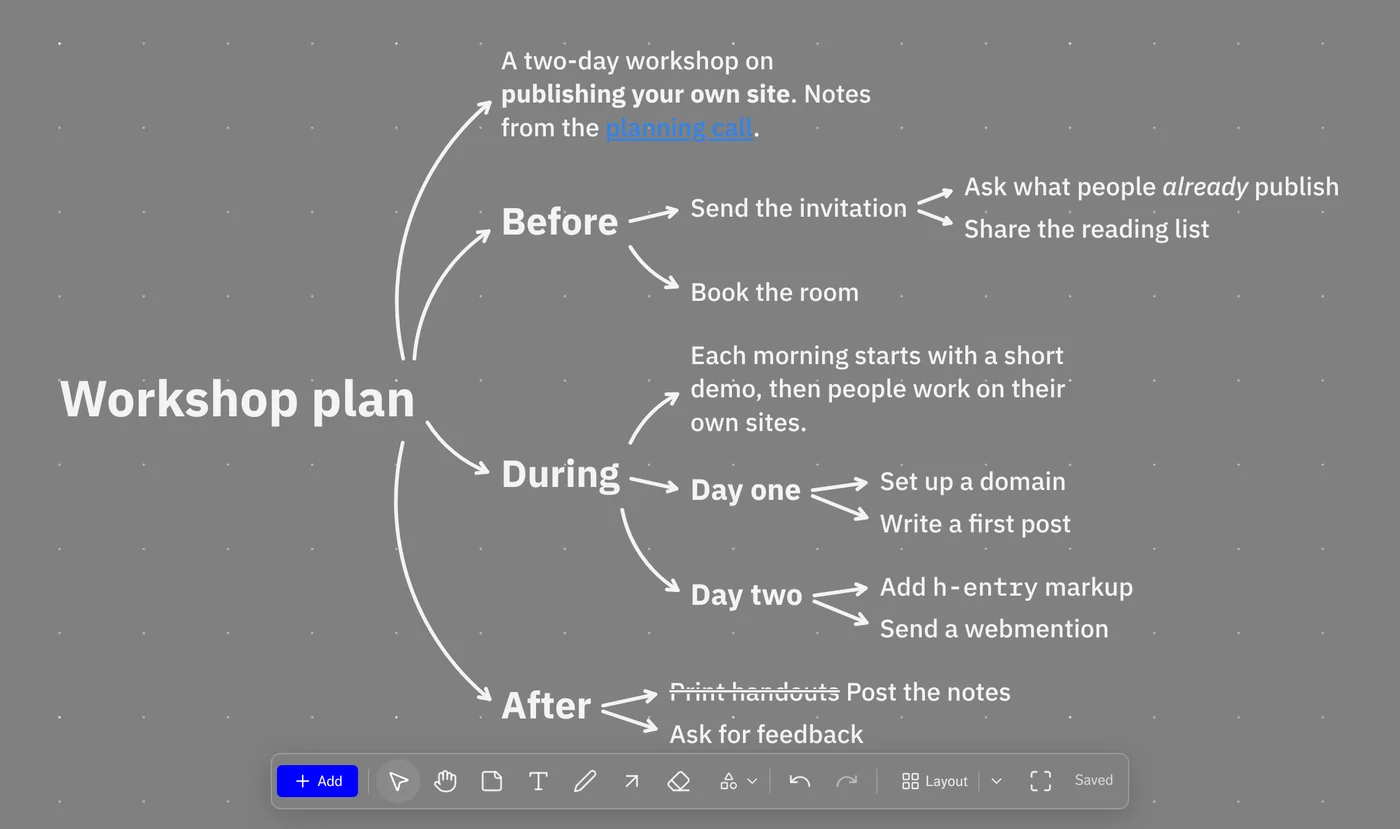
A pasted Markdown outline, in the Outline layout.
Markdown pasted on a table, or a .md file dropped on it, becomes a tree: a text block per heading and list item, with an arrow from the one it sits under. Bold, italics, code and links are kept, and one undo removes the whole tree. #301
Outline is a new layout that grows to the right, the way MindNode draws a mind map to one side. #302
A Layout menu in the toolbar sets out the whole table or the selection. It stays open so layouts can be tried one after another, and leaves the view where it is. Auto layout keeps one chosen layout as things are added. #293#307#313
A More menu holds the rest of tldraw's tools: areas, media, shapes, line, highlighter and laser. Right-clicking the canvas opens a menu with everything the toolbar does. #293#303
Tables
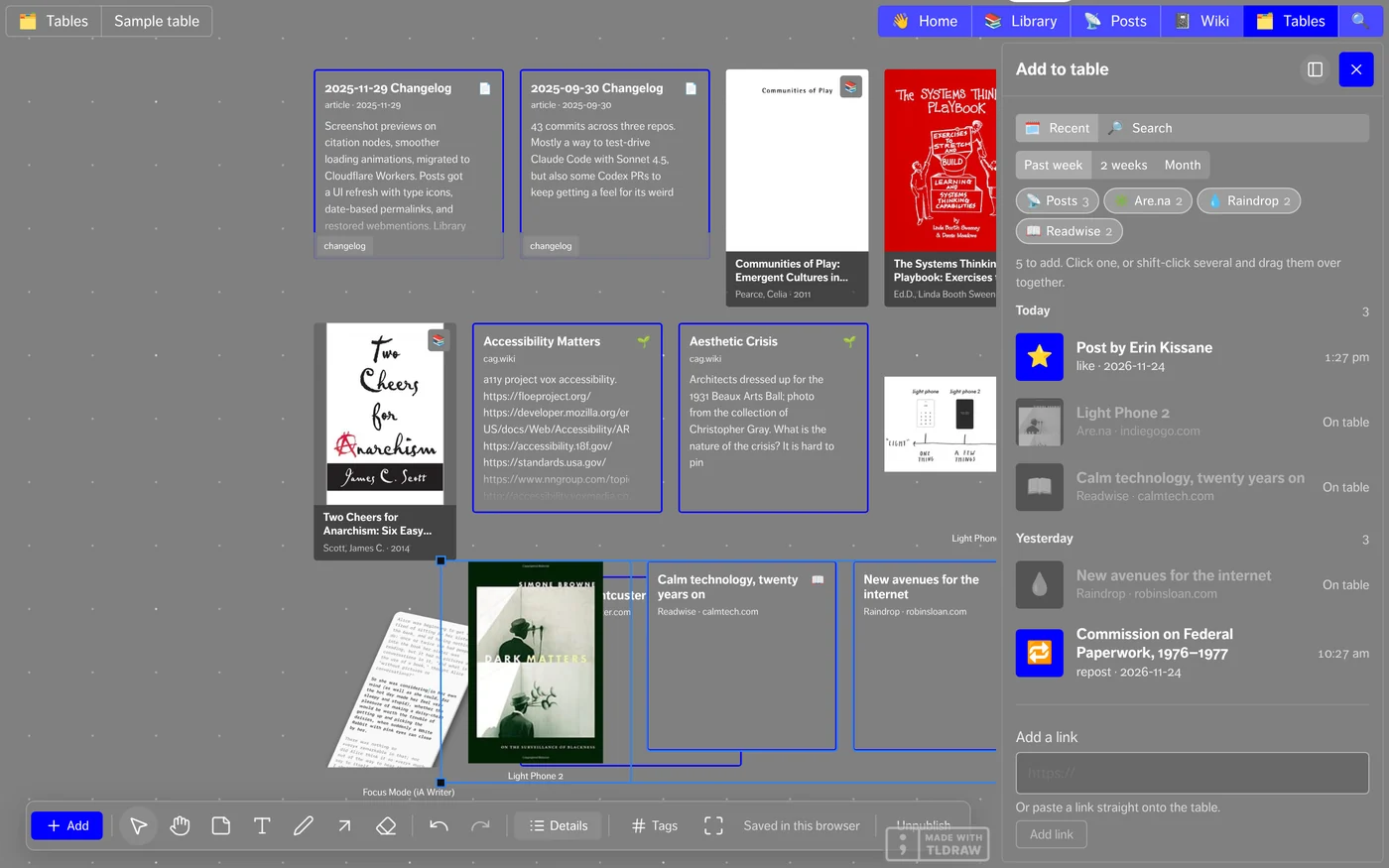
The week's posts and saves beside the table.
The Add menu has a Recent feed: the site's posts and my Are.na, Raindrop and Readwise saves as one list, grouped by day. It can stay open as a sidebar, where things already on the table are gray, shift-click selects a range, and a drag takes the selection together. #292
Similar lists what is saved that is like the selection: blocks, stickies, text and areas by their words, a picture by how it looks. Things added from it get an arrow from what was selected. #292#304#312
Dropping something onto a sticky note joins the two with an arrow. A sticky made from another's edge is joined to it too, and removing something removes arrows left with an end on nothing. #311#317
Text blocks are only as wide as their words, with a handle on the right edge that sets where lines wrap. Dropping one on another combines them, and Enter divides one. #294#318
A table still called "Untitled table" names itself from what is on it once it's left. Names I typed are never changed. #306
New table is a gray first card in the grid, not a blue button under the nav. #298
A Post button starts a draft post from a table, embedded live or as a picture of the whole canvas. #295
From the Claude connector, table tools change a table with no canvas open. Arrows that share a side of a card fan out, and labels slide clear of cards and each other. #291
Words in pictures
A vision model on Workers AI reads the words in each saved picture and writes a description of what it shows. Both are kept in the private copy of my saves, searched with the documents that show the picture, and used for Similar. #304#316#319
Resized copies of a picture share one reading, words too small to read for certain are left out, and an answer stuck repeating itself is cut. #319#321#323
A reading round takes as many pictures at once as the model will, starting at ten and growing to 48, and halves when the model says it's busy. #325
All of November's Cloudflare Images transformations turned out to come from embedding those pictures, none from visitors. Resizing by URL, which nothing on the site used, is turned off.
Publishing
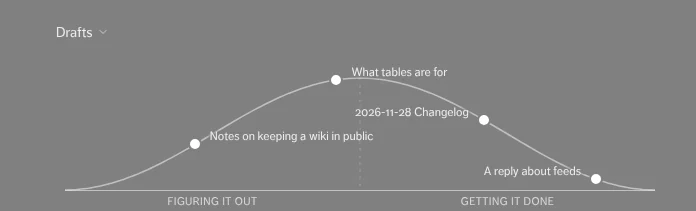
Drafts on the hill.
/posts opens with my drafts as dots on a hill chart, after Basecamp's: figuring it out on the way up, getting it done on the way down. I drag a dot to place it and press it to open the draft. Visitors see the dots and a title on hover, and only for drafts I've chosen to show. #320
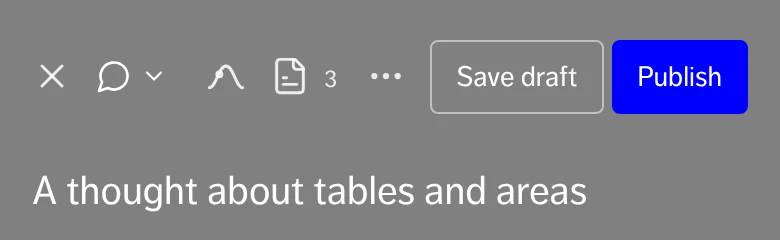
The composer's bar on a phone.
The composer and the post editor share one bar, with a ⋯ menu that holds Open on GitHub, Syndicate and Delete draft. Deleting always asks first. #324
The chat's search index is cached per source, which fixes two chat tests that failed only in the full run. #309
In progress
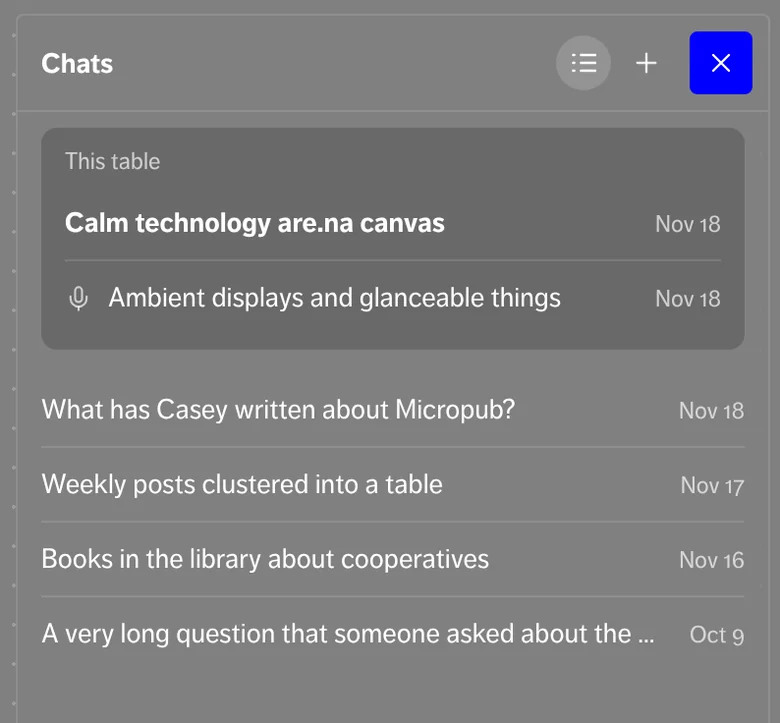
A table's own chats, with a voice note among them.
Voice notes kept as chats: each one becomes a thread of what was said and what was made of it. Opening the chat from a table lists that table's chats first, and a chat's page shows the pages and tables it has been to. #327
Changing a post's type from the type menu, carrying its fields over to the new type and asking first when something would be lost.
Reading the words in all 54,000 or so saved pictures, running in the background.